
We Cut Our GitLab Build Time by 59% With One Change
Shared runners throw away your cache after every job. Move to a dedicated runner where the Docker layer cache and /cache volume persist, and the same build job drops from 1m54s to 47s.

The single change that cut our build time by more than half wasn't a clever
.gitlab-ci.yml trick. It was moving off shared runners onto a dedicated one
that keeps its cache between jobs.
The problem: shared runners forget everything
GitLab's shared runners are ephemeral by design. Every job gets a clean machine. Great for isolation, terrible for speed. Each job has to:
docker pullbase images from scratch- Re-run
npm install/pip install/bundle install, downloading every dependency again - Re-download every Docker layer in Docker-in-Docker builds
- Discard compilation artifacts from previous runs
GitLab's cache: keyword helps, but only so much: shipping a 500MB archive to
and from S3 takes real time, cache misses happen silently, and Docker image
layers can't use cache: at all, which pushes you toward registry hacks and
BuildKit inline caching.
What happens when the cache actually persists
On a dedicated machine that survives between jobs, the wins come for free:
- Docker layer cache works natively.
FROM node:20isn't pulled every run; yourRUN apt-get installlayer is already built. - The
/cachevolume persists. On shared runners that volume dies with the VM. On a dedicated machine it stays, socache:writes to local disk instead of round-tripping through S3. - Docker-in-Docker benefits most. With the Docker daemon persisting, every build reuses prior layers, with no registry hacks and no BuildKit gymnastics.
These come from runner architecture, not magic.
Proof: same job, same project
The same build app job:
- Shared runner: 1 min 54 s
- Dedicated runner: 47 s
- 59% faster
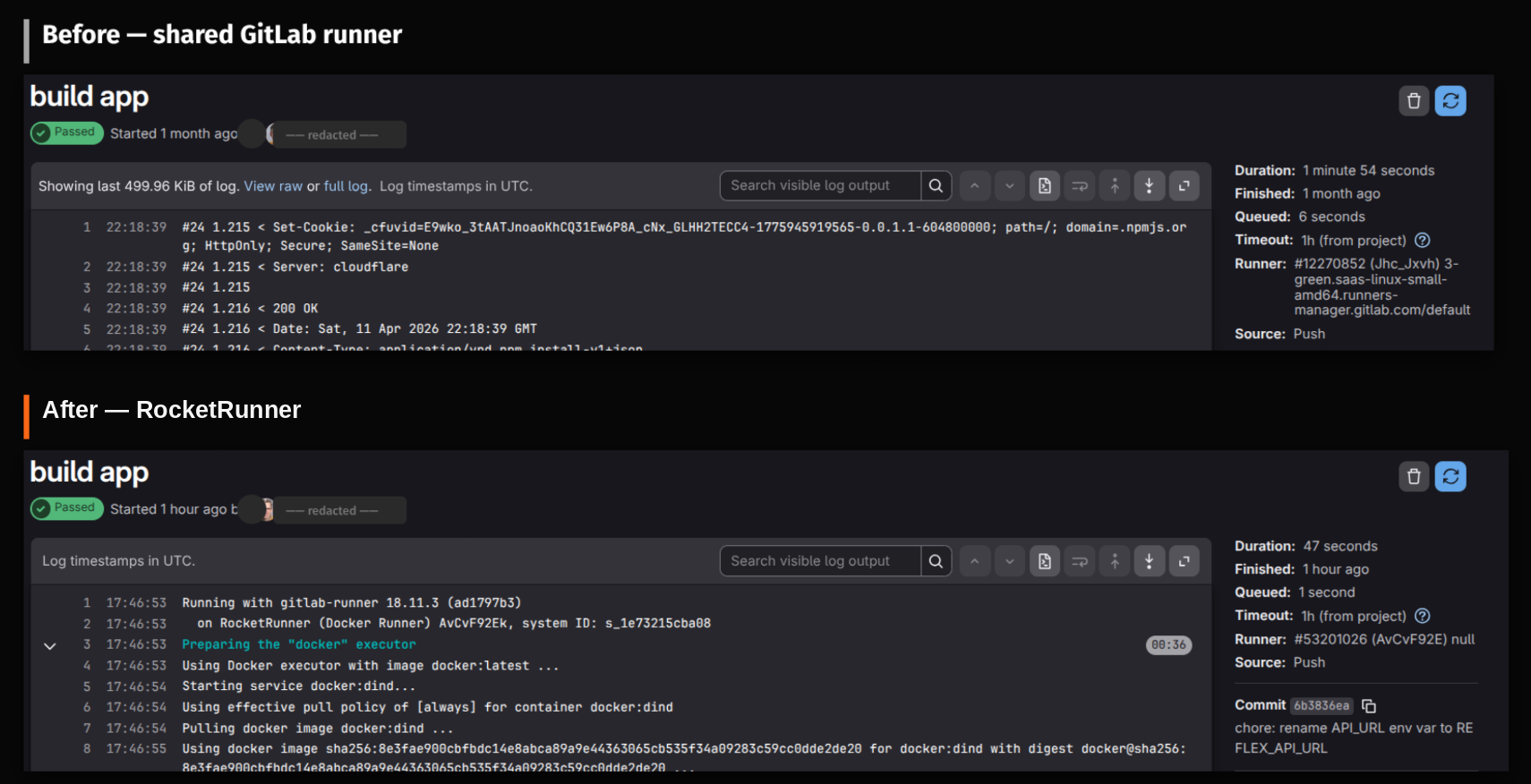
That's the warm-cache case. The first run is comparable, but every run after reuses layers and dependencies already on disk. Multiply by 50 pipeline runs a day and it adds up fast.
What it looks like in .gitlab-ci.yml
A typical Node.js build:
build:
stage: build
image: node:20
cache:
key: ${CI_COMMIT_REF_SLUG}
paths:
- node_modules/
script:
- npm ci
- npm run buildOn shared runners, npm ci downloads everything every time and the cache
round-trip to S3 often costs more than the install. On a dedicated runner the
cache lives on a local volume. The first run fills it, and the rest read from disk.
A Docker build:
build-image:
  stage: build
  image: docker:24.0.5
  services:
    - docker:24.0.5-dind
  script:
    - docker build -t myapp:latest .
Shared runners pull docker:24.0.5 and rebuild every layer each time. A
dedicated runner already has the daemon up and base images cached, so unchanged
layers get skipped.
When it matters (and when it doesn't)
Good fit:
- Docker-in-Docker builds
- Monorepos with large dependency trees
- Teams running 20+ pipelines a day
- Pipelines where
npm installoutlasts the tests
Probably unnecessary:
- Small projects with few dependencies
- Lint-only or simple script pipelines
- A handful of pipelines a week
Try it
RocketRunner spins up a dedicated runner in about two minutes: connect GitLab, pick a size and region, done. Pricing starts at 10.59/month cap. Most teams spend 10 a month. See how the runners work on the Dedicated GitLab Runners page, or start a free trial.
// Keep reading
Related posts
// gitlab
GitLab CE Comes Without a Runner: Why Nothing Executes Your Pipelines
Aug 12, 2026 · 6 min read
// gitlab
How to Add a Runner to Self-Hosted GitLab: The Full Walkthrough
Aug 11, 2026 · 5 min read
// gitlab
GitLab Omnibus Runner Setup: Same Box or Separate, and the Traps Either Way
Aug 10, 2026 · 5 min read